upm: Universal Package Manager
Concept:
Wraps all known package managers to provide a consistent and pretty interface, along with advanced features not supported by all tools, such as:
- install log
- rollback
- pinning
- fuzzy search
- containerization/sandboxing
- learning (community statistics and user choices)
All tools will give you modern, pretty, colourful, piped-to-less output, and you'll only have to remember one consistent set of commands. It'll also prompt you with a text UI whenever faced with ambiguity.
You can maintain lists of your favorite packages (and sync them to some remote server), so that you can automatically install them whenever you setup a new machine. (This can include git repos full of dotfiles/scripts, to give you a comfortable home environment, regardless of which OS you're using.)
Installation:
First, install Ruby. Then:
gem install upm
Usage:
upm <command> <pkg>
up <command> <pkg>
u <command> <pkg>
Commands:
install/add- download and install a packageremove/uninstall- remove a previously installed packagebuild- compile a package from source and install itsearch- using the fastest known API or servicelist- show all packages, or the contents of a specific packageinfo- show metadata about a packagesync/update- retrieve the latest package list or manifestupgrade- install new versions of all packagesverify- verify the integrity of installed filesaudit- show known vulnerabilities for installed packagespin- pinning a package means it won't be automatically upgradedrollback- revert to an earlier version of a package (including its dependencies)log- show history of package installspackagers- detect installed package managers, and pick which ones upm should wrapsources/mirrors- select remote repositories and mirrorsclean- clear out the local package cachemonitor- ad-hoc package manager for custom installations (like instmon)keys- keyrings and package authenticationdefault- configure the action to take when no arguments are passed to "upm" (defaults to "os:update")
Any command that takes a package name can be prefixed with the package tool's namespace:
os:<pkg> -- automatically select the package manager for the current unix distribution
deb:<pkg> (or d: u:)
rpm:<pkg> (or yum: y:)
bsd:<pkg> (or b:)
ruby:<pkg> (or r: gem:)
python:<pkg>,<pkg> (or py: p: pip:)
go:<pkg>,<pkg>,<pkg>
...or suffixed with its file extension:
<pkg>.gem
<pkg>.deb
<pkg>.rpm
<pkg>.pip
Package tools to wrap:
- Arch:
pacman/aur/abs(svn mirror) - Debian/Ubuntu:
apt-get/dpkg(+ curated list of ppa's) - RedHat/Fedora/Centos:
yum/rpm - Mac OSX:
brew/fink/ports - FreeBSD:
pkg/ports - OpenBSD:
pkg_add/ports - NetBSD:
pkgin/ports - SmartOS/Illumos:
pkgin - Windows:
apt-cyg/mingw-get/nuget/Windows Update/(as-yet-not-created package manager, "winget") - Wine/Proton/Steam:
winetricks/steam - Ruby:
rubygems - Python:
pip/easy_install - Javascript/NodeJS:
npm - Rust:
cargo - Dart:
pub - go:
go-get - R:
cran - Qt:
qpm - Lua:
rocks - Julia:
Pkg - Haskell:
cabal - Clojure:
leiningen - Java:
gradle - Erlang:
rebar - Scala:
sbt - Perl:
cpan
What it might look like:
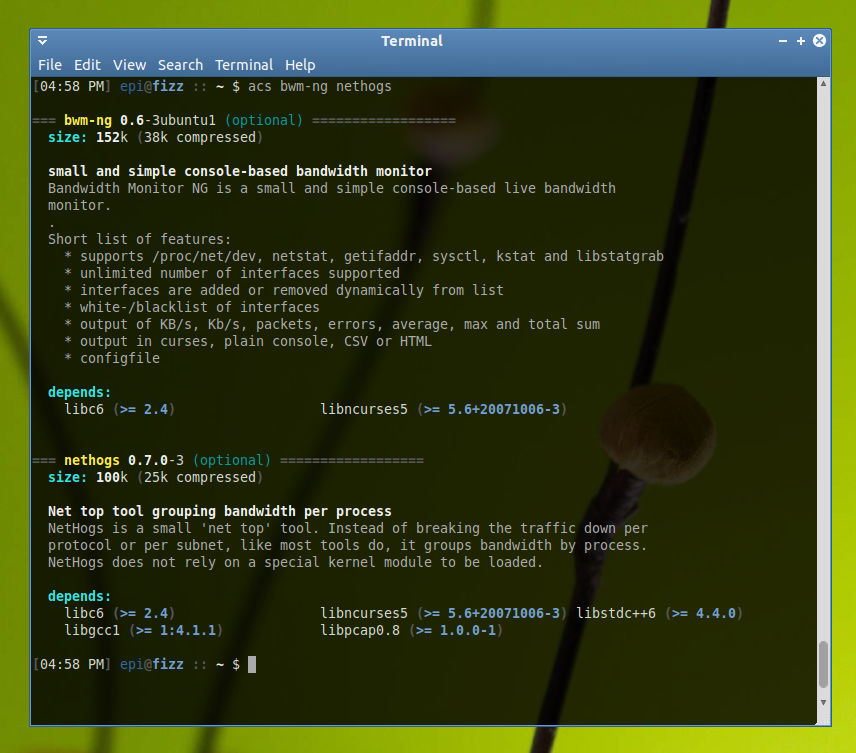
Info:
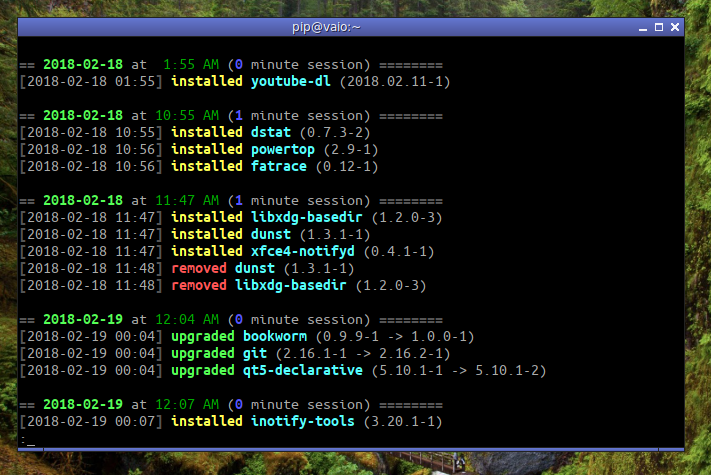
Log:
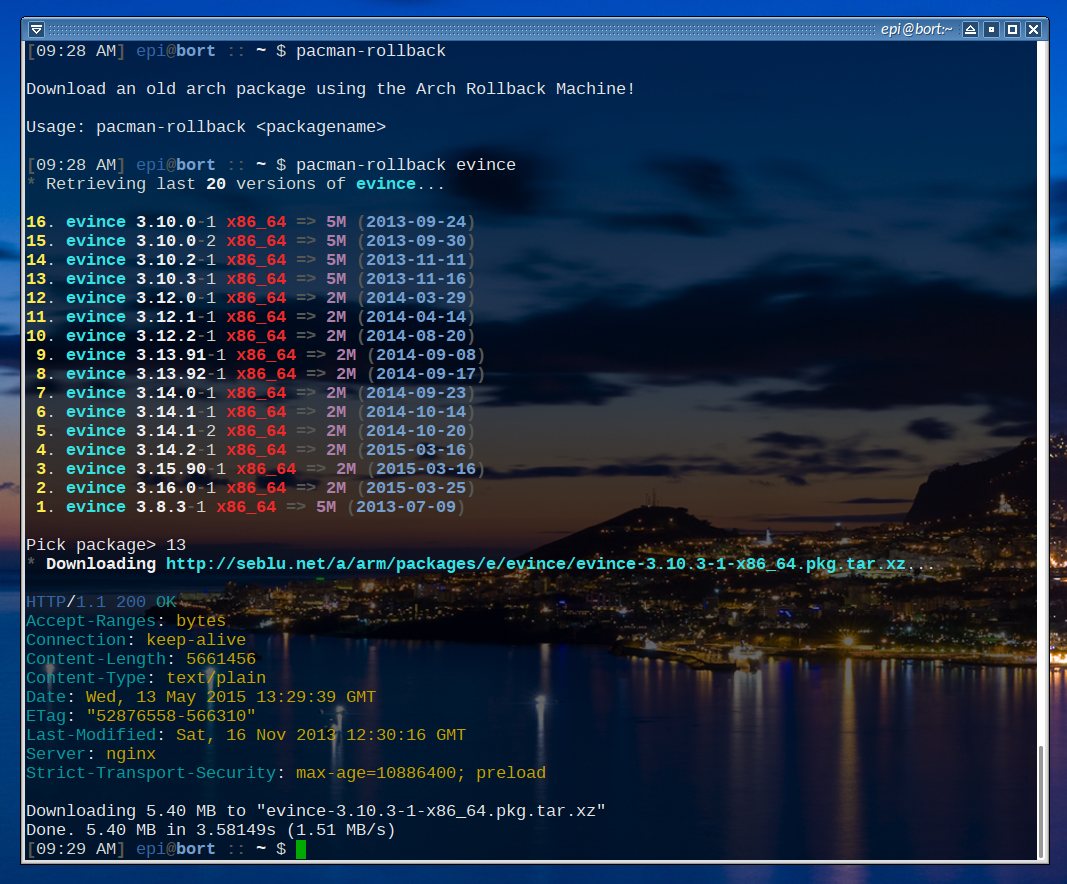
Rollback:
Future Directions
TODOs:
- Use the pretty text-mode UI that passenger-install uses
- Context-dependent operation
- eg: if you're in a ruby project's directory, set the 'ruby' namespace to highest priority
Containers, VMs, and Virtual Environments:
Containers, VMs, and Virtual Environments are another pile of tools which do roughly the same thing: they gather together the dependencies for a specific program, or small set of programs, into a bundle, and create an isolated environment in which it can run.
In the future, these could be wrapped by ucm (Universal Container Manager), if I get around to it.
Container tools to wrap:
- Virtual Environments:
- Python:
virtualenv - Ruby:
bundler - Java:
gradle - NodeJS:
npm
- Python:
- Containerized Applications/Systems:
- AppImage
- docker
- rkt
- snapd
- systemd
- podman
- nanobox
- SmartOS zones
- BSD jails
- Wine environments:
- wine prefixes
- playonlinuxs
- proton
- Virtual Machines:
- qemu
- virtualbox
- VMware
- firecracker
- Hypervisors:
- ESXi
- Xen
- Nova