Stream Rails


This package helps you create activity streams & newsfeeds with Ruby on Rails and GetStream.io.
Activity Streams & Newsfeeds
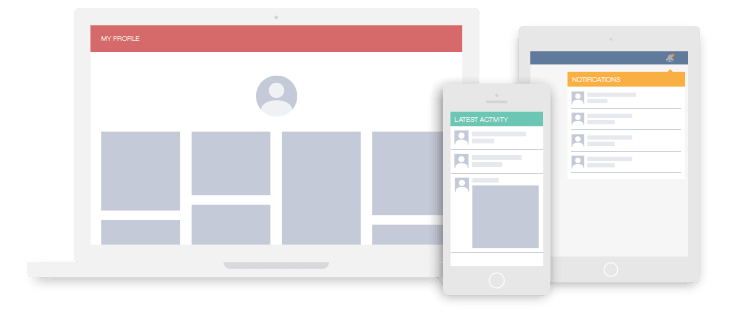
What you can build:
- Activity streams such as seen on Github
- A twitter style newsfeed
- A feed like instagram/ pinterest
- Facebook style newsfeeds
- A notification system
Table of Contents
- Activity Streams & Newsfeeds
- Table of Contents
- Gem installation
- Setup
- Model configuration
- Feed manager
Gem installation
You can install stream_rails as you would any other gem:
gem install stream_rails
or in your Gemfile:
gem 'stream_rails'
Setup
Login with Github on getstream.io and get your api_key and api_secret from your app configuration (Dashboard screen).
Then you can add the StreamRails configuration in config/initializers/stream_rails.rb
require 'stream_rails'

StreamRails.configure do |config|
  config.api_key     = "YOUR API KEY"
  config.api_secret  = "YOUR API SECRET"
end
Model configuration
Include StreamRails::Activity and add as_activity to the model you want to integrate with your feeds.
class Pin < ActiveRecord::Base
  belongs_to :user
  belongs_to :item

  validates :item, presence: true
  validates :user, presence: true

  include StreamRails::Activity
  as_activity
end
Everytime a Pin is created it will be stored in the feed of the user that created it, and when a Pin instance is deleted than it will get removed as well.
Activity fields
Models are stored in feeds as activities. An activity is composed of at least the following data fields: actor, verb, object, time. You can also add more custom data if needed.
object is a reference to the model instance itself actor is a reference to the user attribute of the instance verb is a string representation of the class name
In order to work out-of-the-box, the Activity class makes makes few assumptions:
- the Model class belongs to a user
- the model table has timestamp columns (created_at is required)
You can change this behaviour by overriding #activity_actor.
Below shows an example how to change your class if the model belongs to an author instead of to a user.
class Pin < ActiveRecord::Base
belongs_to :author
belongs_to :item
include StreamRails::Activity
as_activity
def activity_actor
self.
end
end
Activity extra data
Often you'll want to store more data than just the basic fields. You achieve this by implementing #activity_extra_data in your model.
class Pin < ActiveRecord::Base
  belongs_to :author
  belongs_to :item

  include StreamRails::Activity
  as_activity

  def activity_extra_data
    {'is_retweet' => self.is_retweet}
  end

end
Feed manager
stream_rails comes with a Feed Manager class that helps with all common feed operations. You can get an instance of the manager with StreamRails.feed_manager.
feed = StreamRails.feed_manager.get_user_feed(current_user.id)
Feeds bundled with feed_manager
To get you started the manager has 4 feeds pre configured. You can add more feeds if your application needs it. Feeds are divided in three categories.
User feed:
The user feed stores all activities for a user. Think of it as your personal Facebook page. You can easily get this feed from the manager.
feed = StreamRails.feed_manager.get_user_feed(current_user.id)
News feeds:
The news feeds store the activities from the people you follow. There is both a flat newsfeed (similar to twitter) and an aggregated newsfeed (like facebook).
feed = StreamRails.feed_manager.get_news_feeds(current_user.id)[:flat]
aggregated_feed = StreamRails.feed_manager.get_news_feeds(current_user.id)[:aggregated]
Notification feed:
The notification feed can be used to build notification functionality.
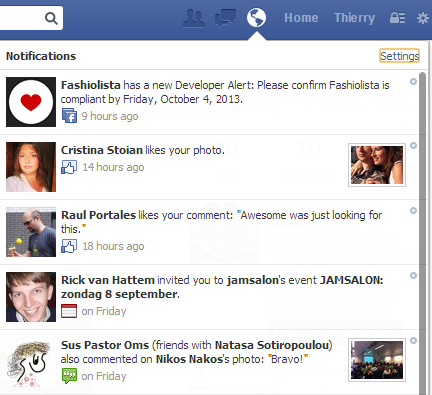
Below we show an example of how you can read the notification feed.
notification_feed = StreamRails.feed_manager.get_notification_feed(current_user.id)
By default the notification feed will be empty. You can specify which users to notify when your model gets created. In the case of a retweet you probably want to notify the user of the parent tweet.
class Pin < ActiveRecord::Base
  belongs_to :author
  belongs_to :item

  include StreamRails::Activity
  as_activity

  def activity_notify
    if self.is_retweet
      [feed_manager.get_notification_feed(self.parent.user_id)]
    end
  end

end
Another example would be following a user. You would commonly want to notify the user which is being followed.
class Follow < ActiveRecord::Base
  belongs_to :user
  belongs_to :target

  validates :target_id, presence: true
  validates :user, presence: true

  include StreamRails::Activity
  as_activity

  def activity_notify
    [feed_manager.get_notification_feed(self.target_id)]
  end

end
Follow a feed
The create the newsfeeds you need to notify the system about follow relationships. The manager comes with APIs to let a user's news feeds follow another user's feed. This code lets the current user's flat and aggregated feeds follow the target_user's personal feed.
StreamRails.feed_manager.follow_user(user_id, target_id)
Showing the newsfeed
Activity enrichment
When you read data from feeds, a pin activity will look like this:
{"actor": "User:1", "verb": "like", "object": "Pin:42"}
This is far from ready for usage in your template. We call the process of loading the references from the database enrichment. An example is shown below:
enricher = StreamRails::Enrich.new

feed = StreamRails.feed_manager.get_news_feeds(current_user.id)[:flat]
results = feed.get()['results']
activities = enricher.enrich_activities(results)
Templating
Now that you've enriched the activities you can render them in a view. For convenience we includes a basic view:
<div class="container">
    <div class="container-pins">
        <% for activity in @activities %>
            <%= render_activity activity %>
        <% end %>
    </div>
</div>
The render_activity view helper will render the activity by picking the partial activity/_pin for a pin activity, aggregated/_follow for an aggregated activity with verb follow.
The helper will automatically send activity to the local scope of the partial; additional parameters can be send as well as use different layouts, and prefix the name
eg. renders the activity partial using the small_activity layout.
<%= render_activity activity, :layout => "small_activity" %>
eg. prefixes the name of the template with "notification_"
<%= render_activity activity, :prefix => "notification_" %>
eg. adds the extra_var to the partial scope
<%= render_activity activity, :locals => {:extra_var => 42} %>