InlineEditor

Demo app https://inline-editor.herokuapp.com
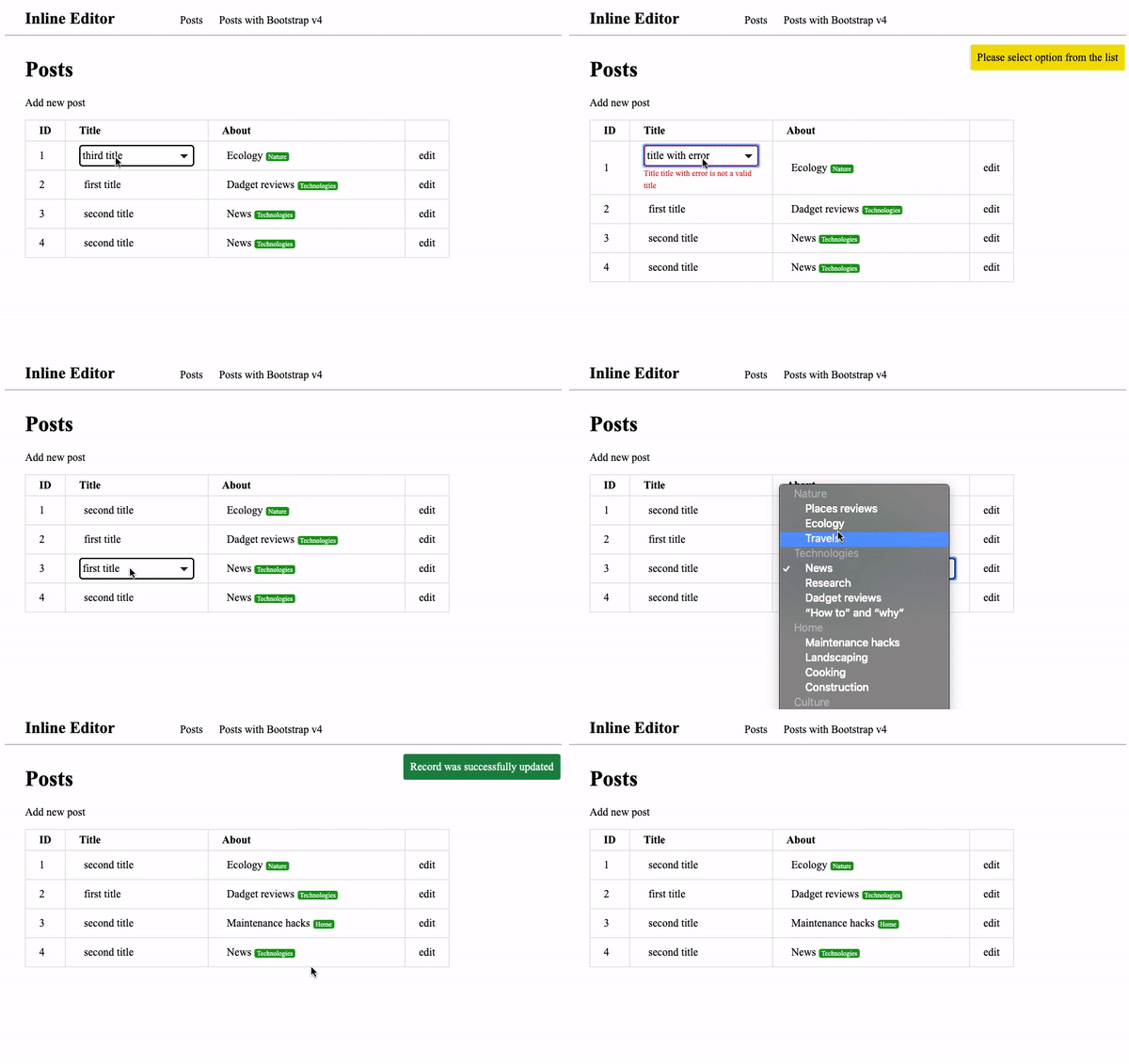
Steps to install
- Add this line to your application's Gemfile:
ruby
  gem 'inline_editor'
Import 'inline_editor' to your application.js
//= require inline_editorAlso, you could add styles to your application.sccs for your inlne editor
@import "inline_editor"In your views you could use inline_editor helper which generate markup for clickable item and form
Exampeles:
    <%= inline_editor as: :select, text: post.title, value: post.title, collection: Post::TITLE,
     save_url: inline_update_post_path(post), include_blank: false, param: 'title'%>
Also, insteed of plain text you could use any helper which generate HTML view
    <%= inline_editor as: :select, text: your_helper(post.title), value: post.title, collection: Post::TITLE,
      save_url: inline_update_post_path(post), include_blank: false, param: 'title'%>
Option Type Example as symbol as: :select. type of form tag you want to generate text string/HTML text: post.title, text: your_text_helper(post.title), the value will value string value: post.title collection array collection: Post::TITLE save_url string save_url: inline_update_post_path(post) include_blank boolean include_blank: false param string param: 'title', this is your model attribute you want to change For now it is available two parameter for as:
- :select
- :grouped_select
Create action responsible for inline update
It may look like this:
def inline_update @post = Post.find(params[:id]) if @post.update(post_params) render json: { html: helpers.inline_editor_text(value: post_params.values.first, option: post_params.keys.first)} else render json: { status: 'error', message: @post.errors..to_sentence } end endAlso there are several custom JavaScript events you could use to achive extra behaviour
- inlineEditError - triggered if your responce contains { status: 'error' }
- inlineEditSuccess - triggered after controller respond without error status
Contributing
Contribution directions go here.
License
The gem is available as open source under the terms of the MIT License.