Fusuma 

Fusuma is multitouch gesture recognizer. This gem makes your linux PC able to recognize swipes or pinchs and assign commands to them.
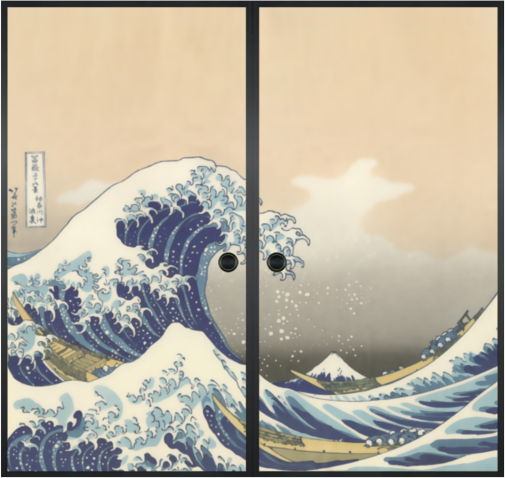
襖(Fusuma) means sliding door used to partition off rooms in a Japanese house.
Installation
IMPORTANT: You must be a member of the input group to have permission to read the touchpad device:
$ sudo gpasswd -a $USER input
You must log out and back in or restart to assign this group.
You need libinput release 1.0 or later. Install libinput-tools:
$ sudo apt-get install libinput-tools
For sending shortcuts(optional):
$ sudo apt-get install xdotool
Install Fusuma:
$ gem install fusuma
Touchpad not working in GNOME
Ensure the touchpad events are being sent to the GNOME desktop by running the following command:
$ gsettings set org.gnome.desktop.peripherals.touchpad send-events enabled
Usage
$ fusuma
Update
$ gem update fusuma
Customize
You can customize the settings for gestures to put and edit ~/.config/fusuma/config.yml.
NOTE: You will need to create the ~/.config/fusuma directory if it doesn't exist yet.
Command: property
On fusuma version 0.4 Command: property is available!
You can assign any command each gestures.
shortcut: property is deprecated, it will be removed on fusuma version 1.0.
You need to replace to command: property.
before
swipe:
  3:
    left:
      shortcut: 'alt+Left'
    right:
      shortcut: 'alt+Right'
after
swipe:
  3:
    left:
      command: 'xdotool key alt+Left'
    right:
      command: 'xdotool key alt+Right'
Sample (default keymap for Elementary OS)
swipe:
  3:
    left:
      command: 'xdotool key alt+Left'
    right:
      command: 'xdotool key alt+Right'
    up:
      command: 'xdotool key ctrl+t'
    down:
      command: 'xdotool key ctrl+w'
  4:
    left:
      command: 'xdotool key super+Left'
    right:
      command: 'xdotool key super+Right'
    up:
      command: 'xdotool key super+a'
    down:
      command: 'xdotool key super+s'
pinch:
  in:
    command: 'xdotool key ctrl+plus'
  out:
    command: 'xdotool key ctrl+minus'

threshold:
  swipe: 1
  pinch: 1

interval:
  swipe: 1
  pinch: 1
if command: properties are blank, the swipe/pinch doesn't trigger command.
threshold: is sensitivity to swipe/pinch. Default value is 1.
If the swipe's threshold is 0.5, shorten swipe-length by half.
interval: is delay between swipes/pinches. Default value is 1.
If the swipe's interval is 0.5, shorten swipe-interval by half to recognize a next swipe.
Options
-
-c,--config=path/to/file: Use an alternative config file -
-d,--daemon: Daemonize process -
-v,--verbose: Show details about the results of running fusuma -
--version: Show fusuma version
Contributing
Bug reports and pull requests are welcome on GitHub at https://github.com/iberianpig/fusuma. This project is intended to be a safe, welcoming space for collaboration, and contributors are expected to adhere to the Contributor Covenant code of conduct.
License
The gem is available as open source under the terms of the MIT License.